
#ZAA-4F2A9C51D0Awaiting approval
Pickup · Lunch deal × 2
Location verified · 540 m from the branch
Reliable · Gold
1,040 SYPApprove
Your connected ordering platform
Bring your orders, customers, team and insights together. SCALE Order connects branded ordering with daily operations and loyalty, configured for restaurants, cafés, shops and service businesses.
Select an order to see what everyone sees
Built around your business
Ordering, catalogs, branches, permissions, reporting and loyalty on one foundation. We scope the right configuration for your business, with dedicated food-service workflows. The walkthrough below illustrates those workflows; it does not imply clinical services or online card processing.
The platform
Every screen your customers, staff and kitchen use shares one menu, one order flow and one loyalty program.
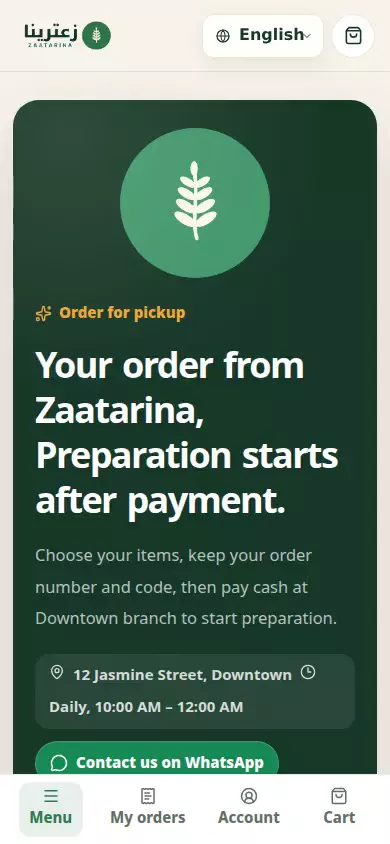
A fast storefront in your brand with your menu, daily combos, checkout and live order status.
Your own Android app for ordering, points, coupons and order notifications.
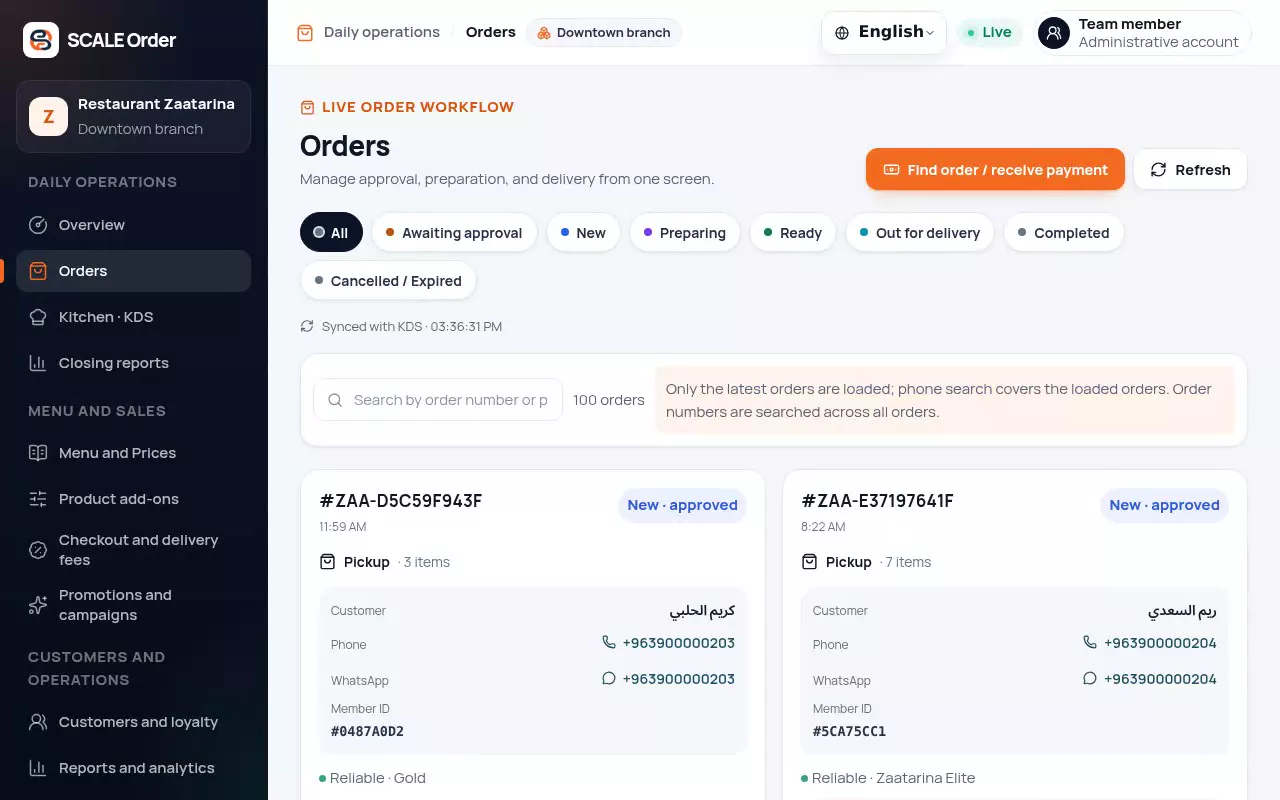
Orders, menu and prices, offers, customers, analytics and your team in one place.
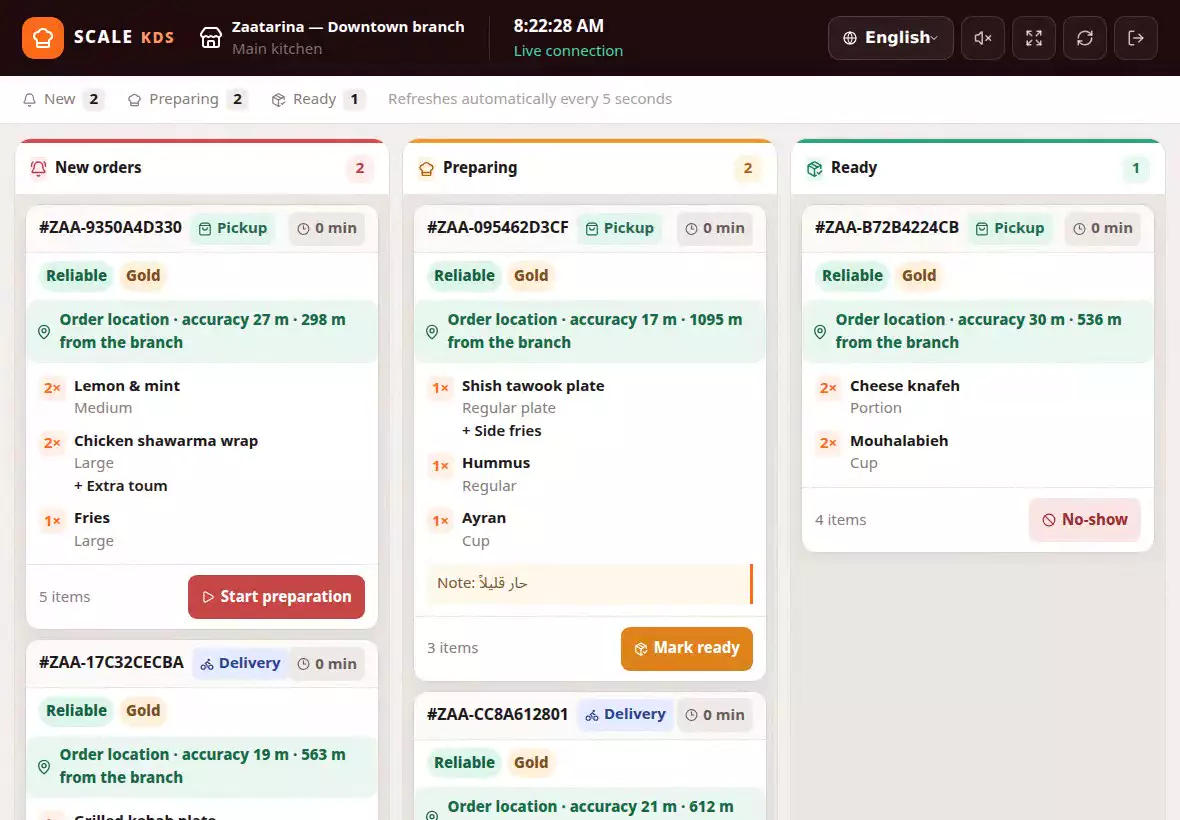
A live board of new, preparing and ready orders with sound alerts and late-order highlights.
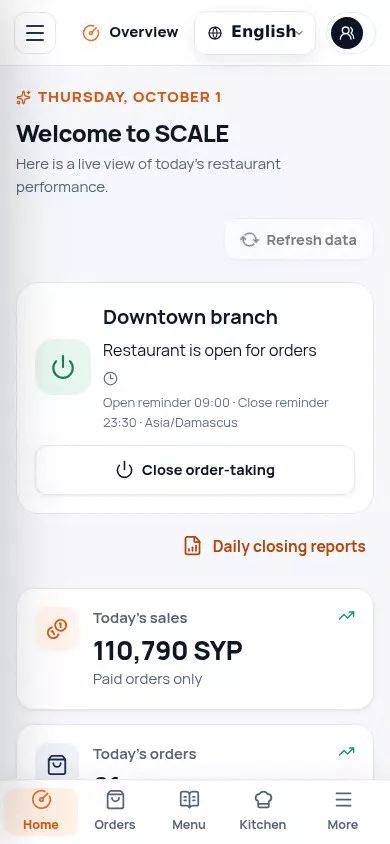
New-order notifications, open and close reminders, and the full console on your phone.
What sets SCALE apart
Capabilities that usually need extra tools or custom work come standard with SCALE Order. Select one to see how it works.
Every customer order carries a recent, consented location and its distance from the branch.
Product tour
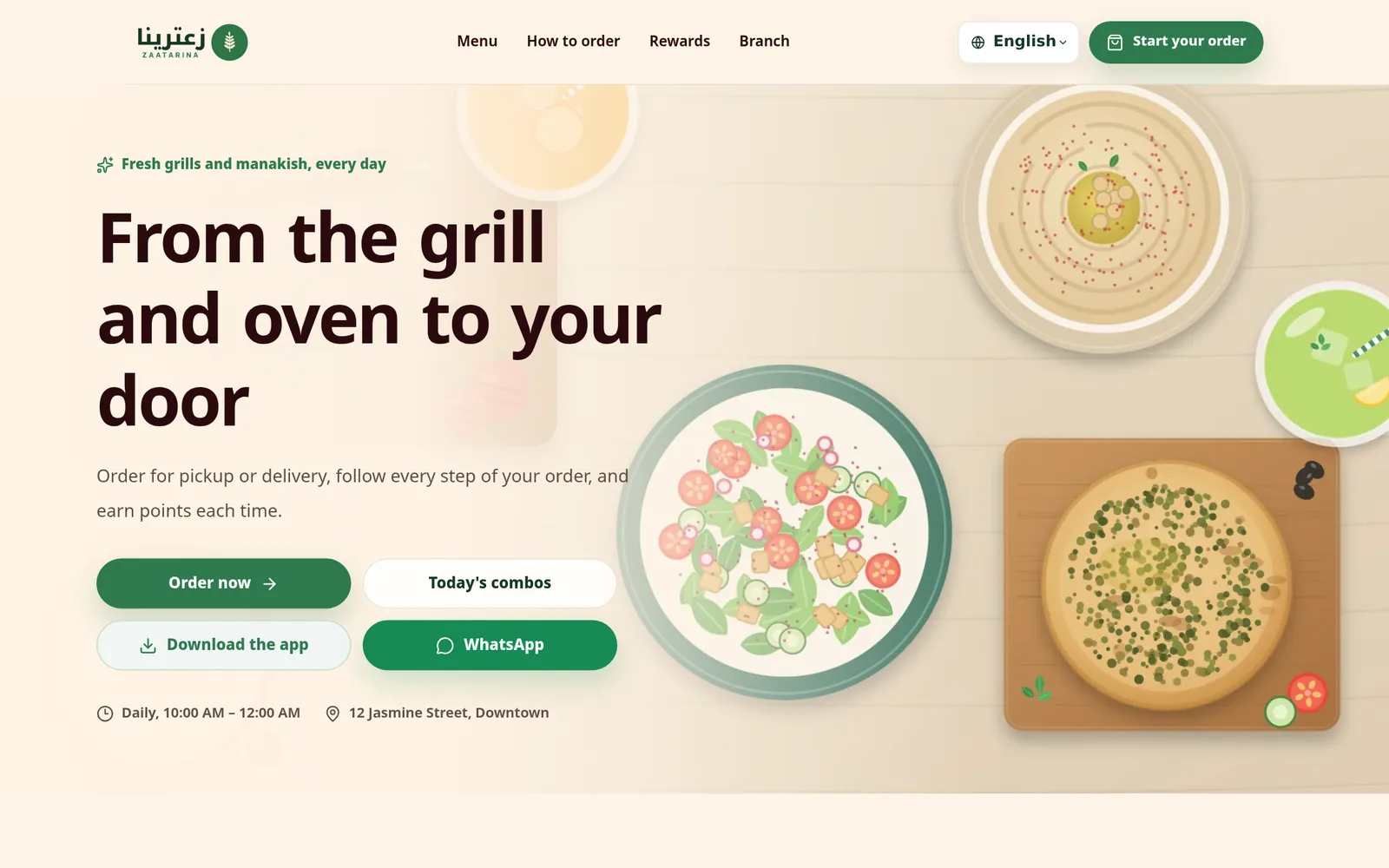
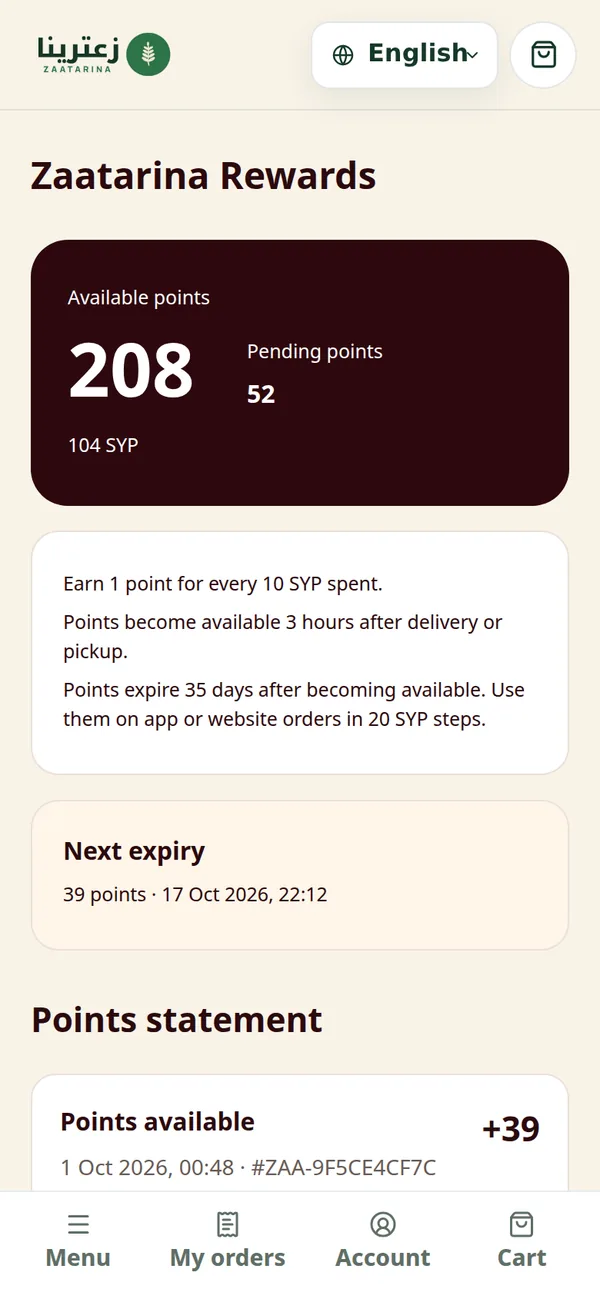
Customers browse your menu, pick sizes and add-ons, and check out for pickup or delivery in a few taps.
Product walkthrough · sample data.
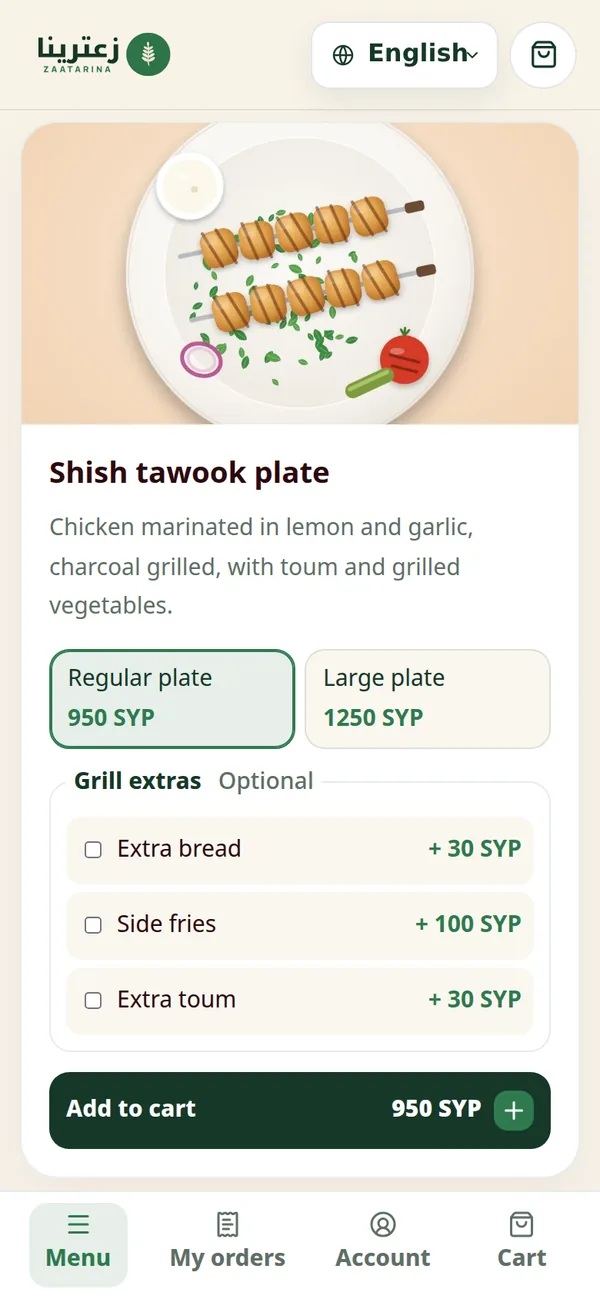
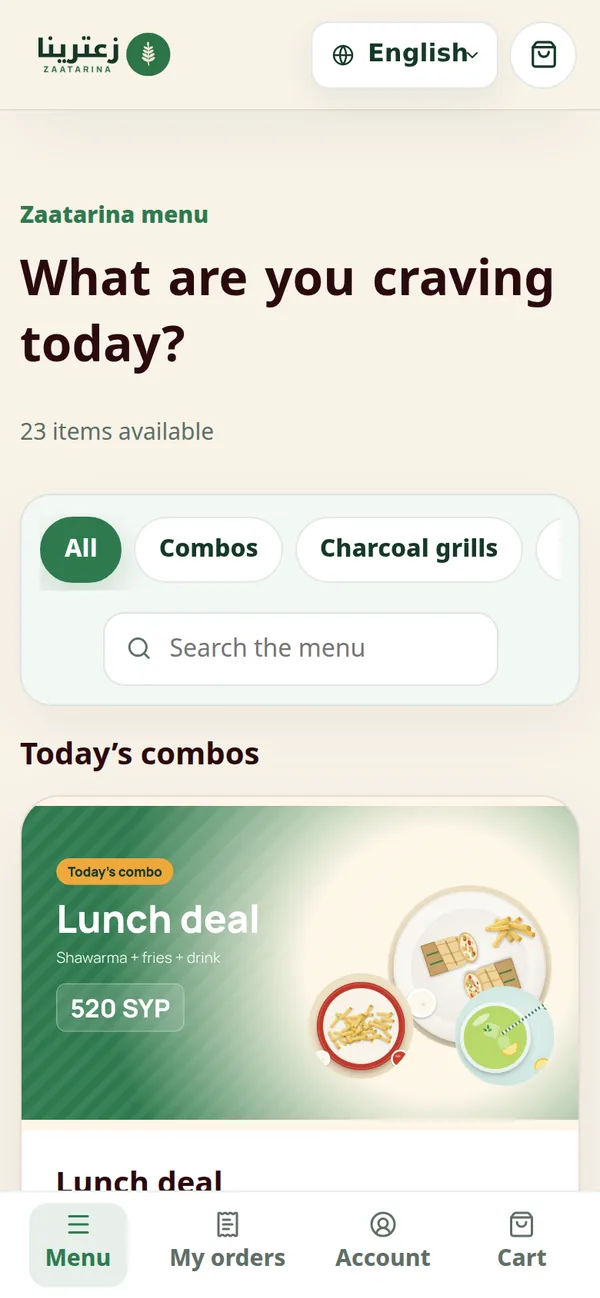
The same menu and rewards on the phone, with every order's status one tap away.
Product walkthrough · sample data.
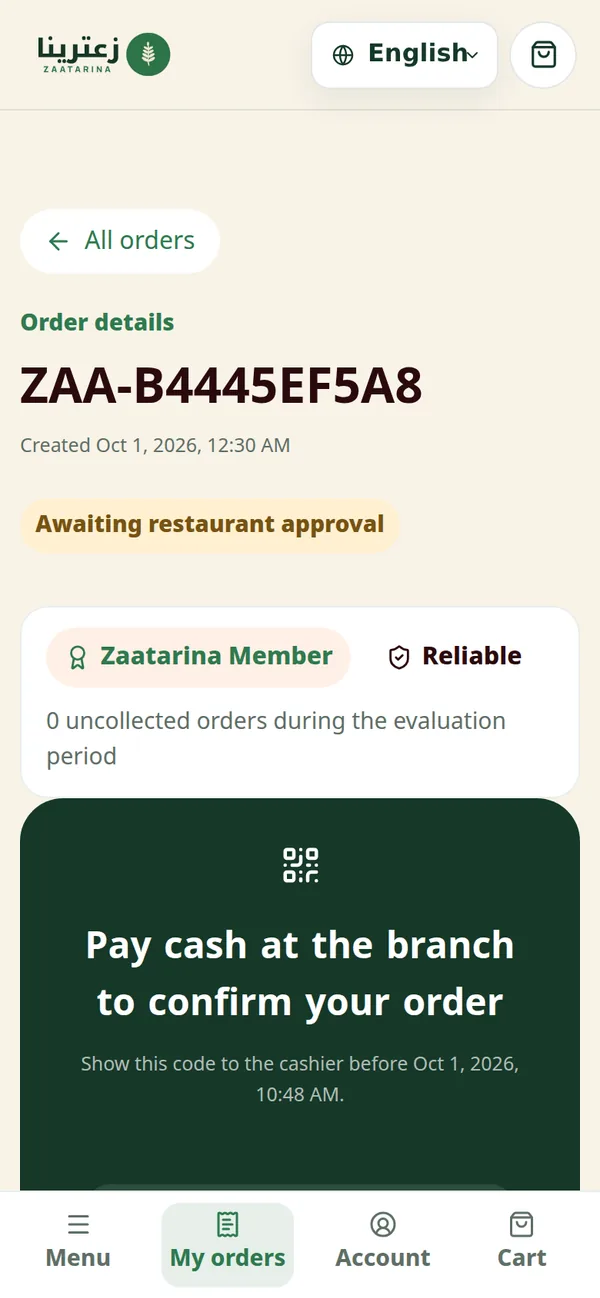
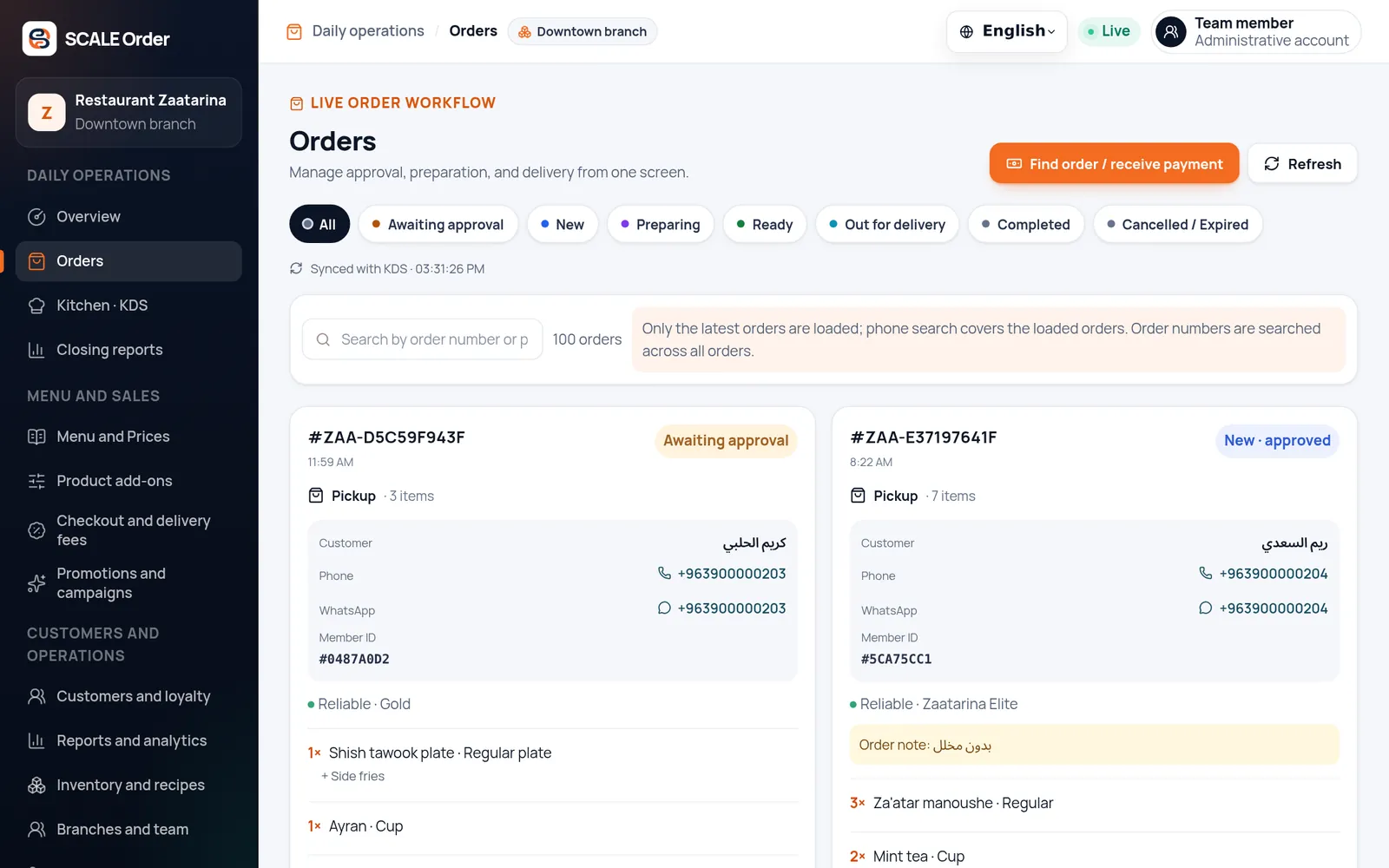
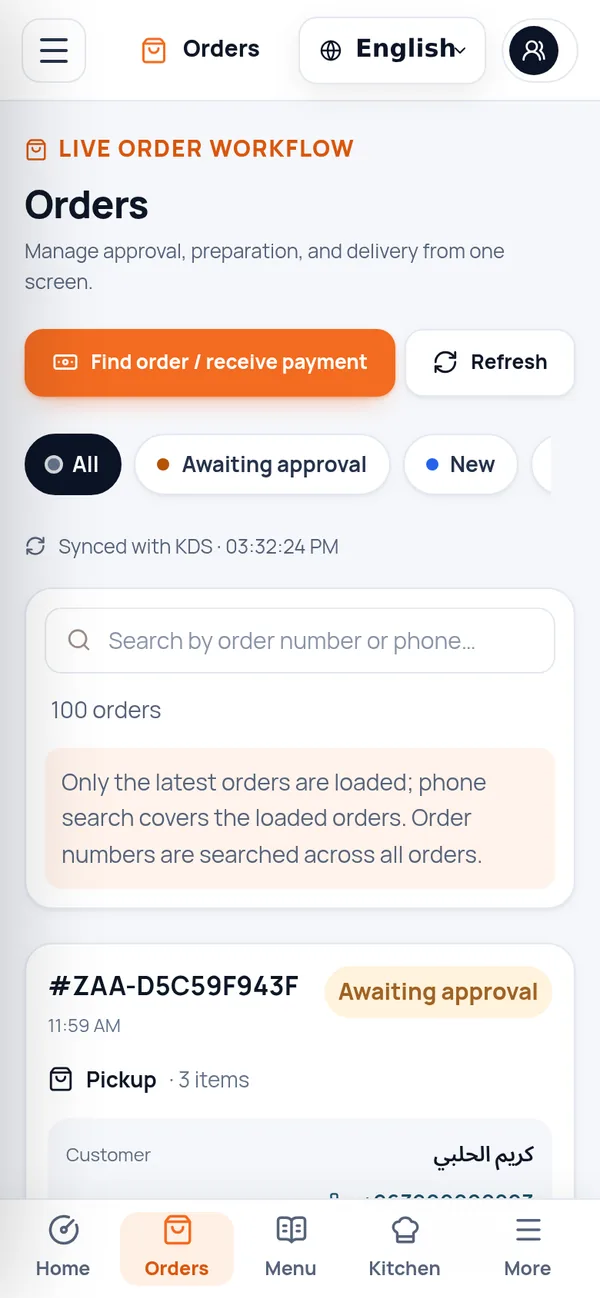
Approve, prepare and hand over orders while the kitchen and customers stay in sync.
Product walkthrough · sample data.
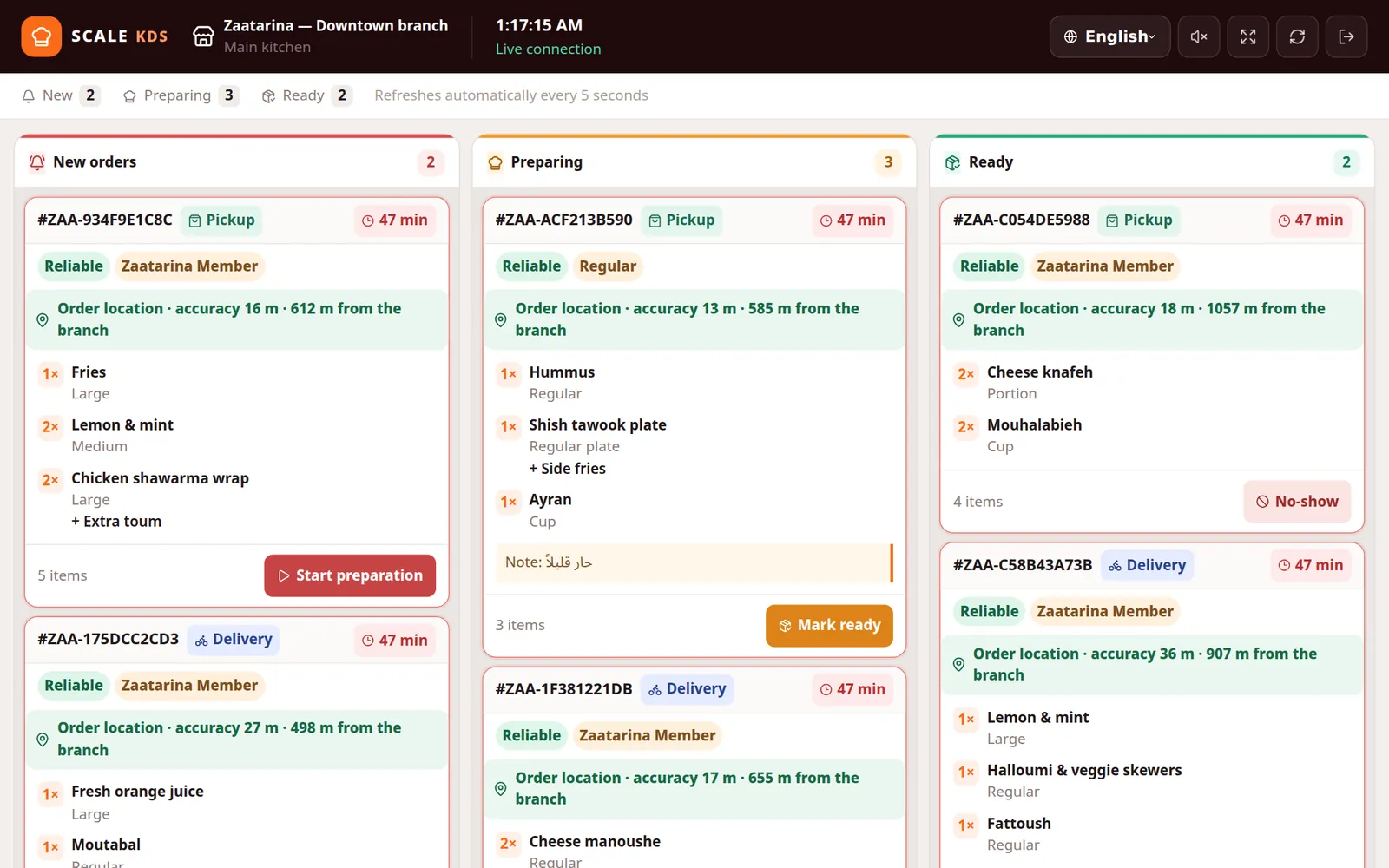
Approved orders arrive on the kitchen screen and move from new to preparing to ready.
Product walkthrough · sample data.
The manager app brings the console to Android with notifications for every new order.
Product walkthrough · sample data.
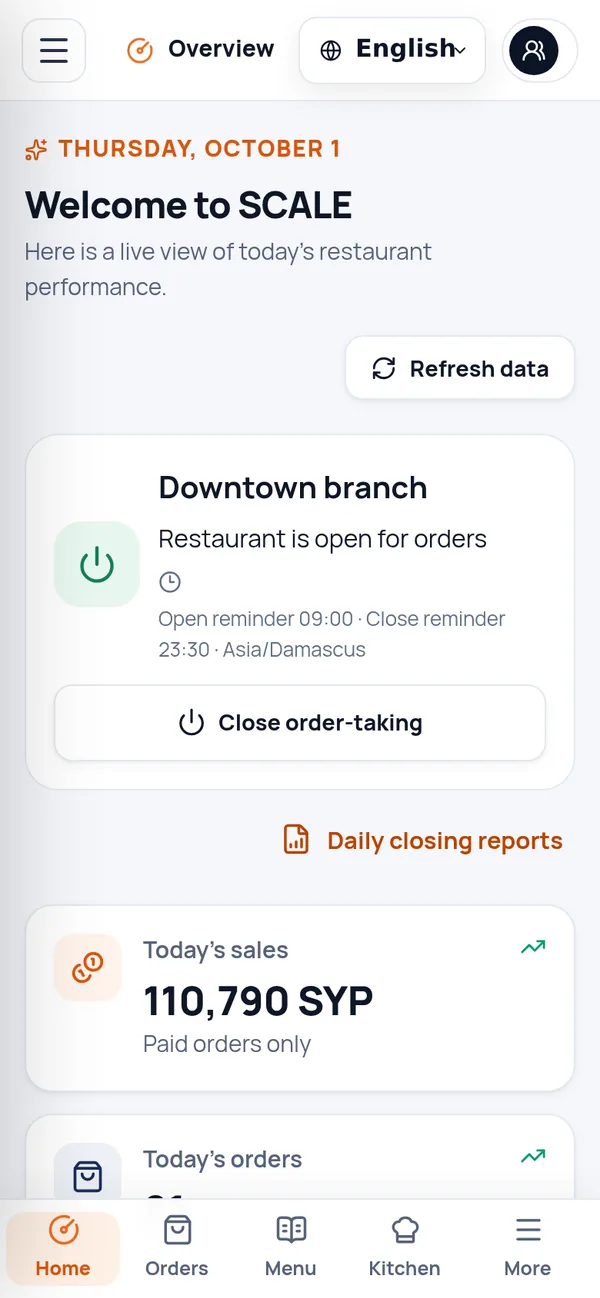
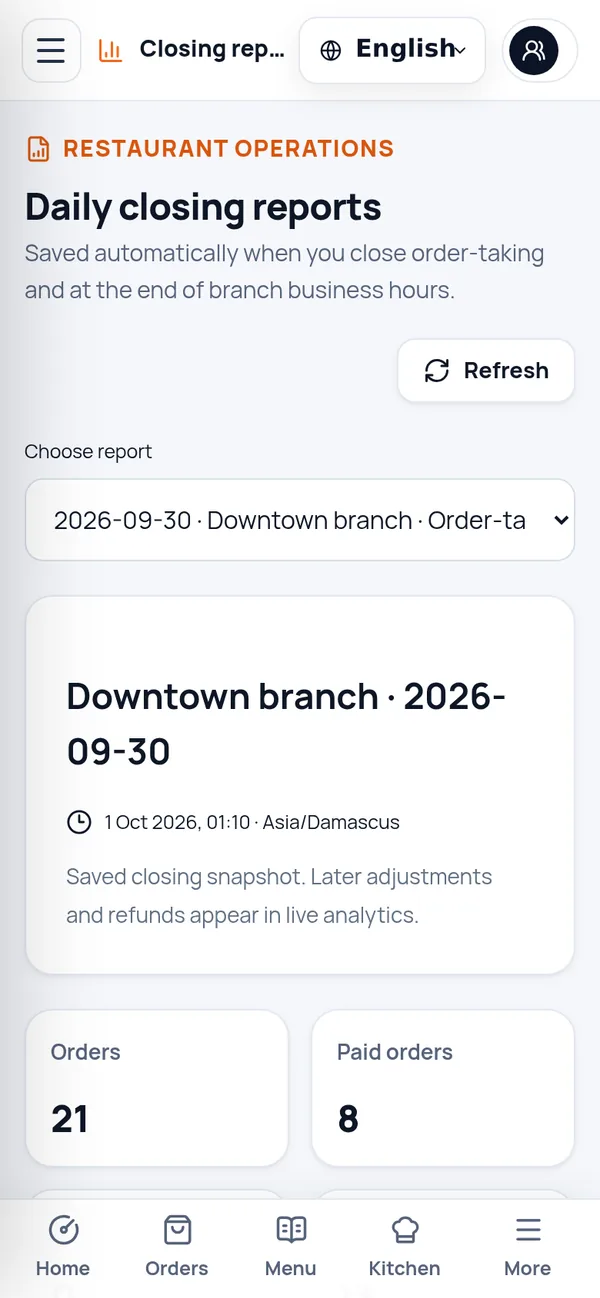
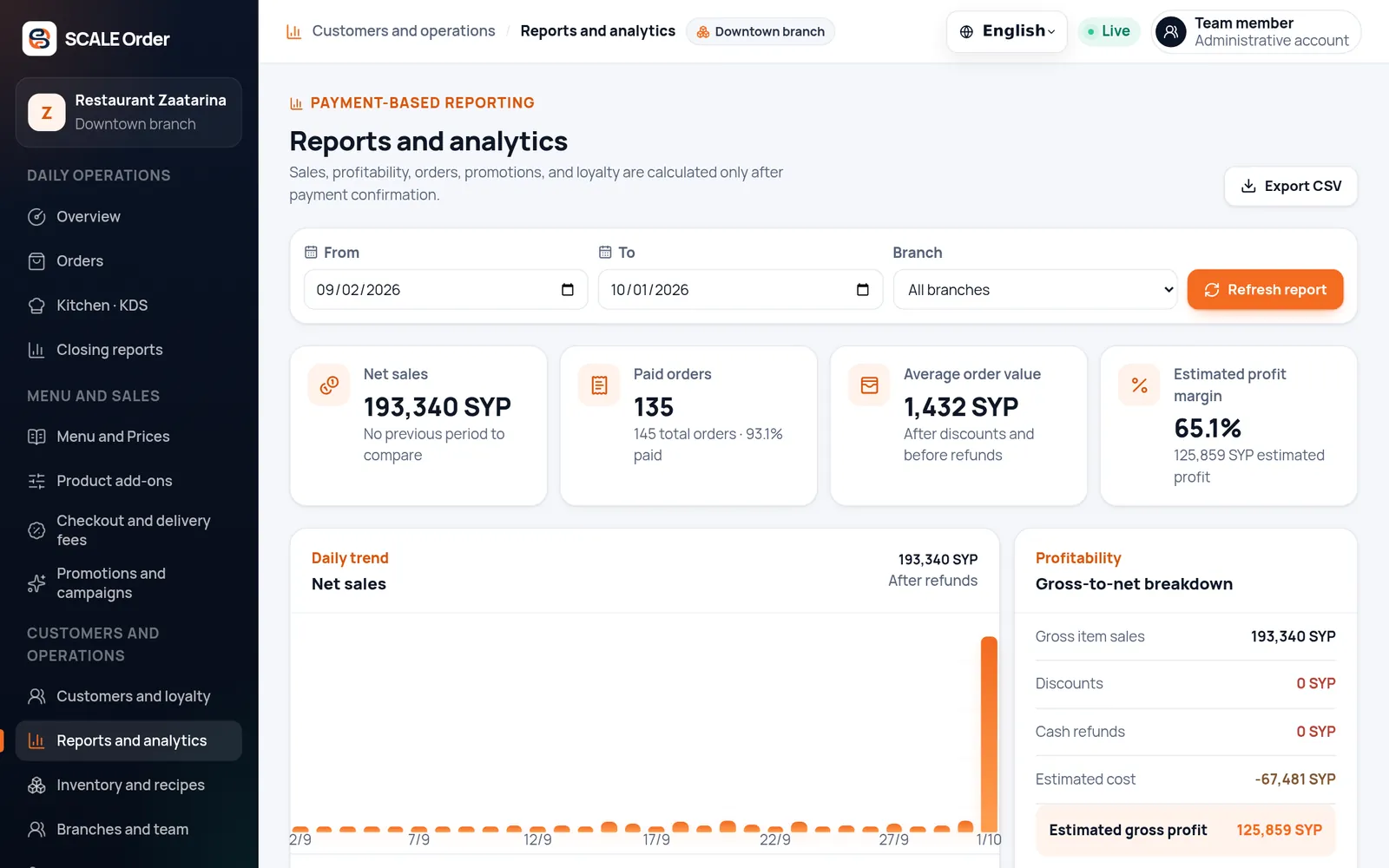
Only paid orders count toward sales, so every report reflects real money in the till.
Product walkthrough · sample data.
Every screen, every device
Short recordings from the real apps, running the demo restaurant. They load only when you reach them.
A customer picks a size and an extra, then switches to delivery. Fee waivers and free delivery are applied in the cart.
Screen recordings of the real apps with sample data.
How an order flows
Cash is still how most customers pay in many markets. SCALE Order turns it into a clear, trackable flow from the first tap to the final hand-over.
The order arrives with the customer's verified location and reliability. The manager app sends a push notification.
#ZAA-4F2A9C51D0
Lunch deal × 2 · 1,040 SYP
Pickup · Lunch deal × 2
Location verified · 540 m from the branch
Reliable · Gold
Waiting for the restaurant to approve
Illustration built from the real order statuses. Points timing follows each restaurant's settings.
Online card payments are not part of the current release.
Features
From the first menu item to the hundredth repeat customer — without stitching tools together.
A menu that is easy to order from and easy to update.
Categories, sizes and add-on groups with minimum and maximum choices, with names in both languages.
Combos scheduled by weekday; upgrading an item charges only the difference.
Service and delivery fees, waivers and a free-delivery threshold.
Coupons, automatic discounts and happy hours with budgets, schedules and usage limits.
A calm service, even at peak hours.
Approve, prepare, mark ready and hand over — in sync with the kitchen display.
Find an order by number, record cash with change due and confirm delivery payments.
Open or close order-taking in one tap, with a closing report saved every time.
Roles built from granular permissions, optionally limited to one branch.
Stock per branch, receipts and waste, and recipes that reserve stock when an order is placed.
Bring customers back without discounting everything.
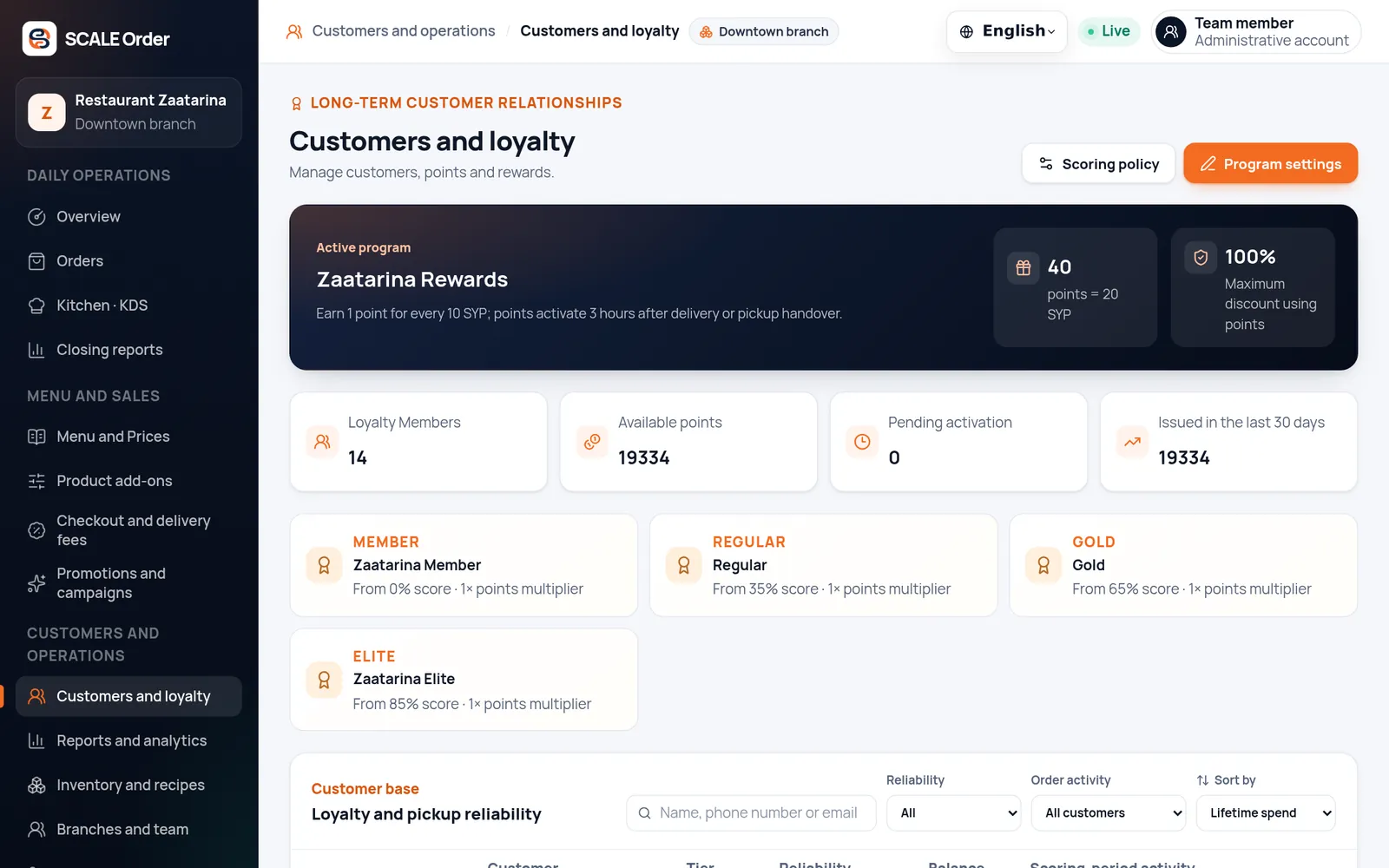
Points that expire on schedule with a reminder, and customer tiers (four by default) from a rolling three-month score.
A prize wheel drawn on the server — one spin a day by default — and surprise offers for returning customers.
Push and email campaigns — and WhatsApp where your connection supports it — to opted-in customers, with delivery and conversion reports.
Optional reminders about today's combos for customers who haven't opened the app in three days, sent only between 11:00 and 20:00.
Loyalty & engagement
Loyalty is part of every order, not an extra app. Customers see their points, tier and rewards the moment they sign in.
Earned on what customers pay for food, never on fees, and reversed automatically on cancellations.
A weighted score of order frequency and spend over a rolling window — three months by default.
Budgets, per-customer limits and schedules keep every promotion under control.
Loyalty playground
It runs through a few example orders on its own. Move a slider or spin the wheel to try your own; it carries on by itself a few seconds after you stop.
Points are earned on the food value, never on service or delivery fees.
17% to the next tier
Demo only. In the product, the server draws each spin, one per day by default.
Example settings from the demo restaurant. Each restaurant sets its own.
Operations
The console, the kitchen display and the manager app read the same live orders, so every screen shows the same truth.
New, preparing and ready columns with sound alerts, full-screen mode and a late-order highlight.
Push notifications for new orders, reminders to open and close, and the console in your pocket.
Orders, paid sales, discounts, fees, refunds and cash collected — saved when order-taking closes.
White-label
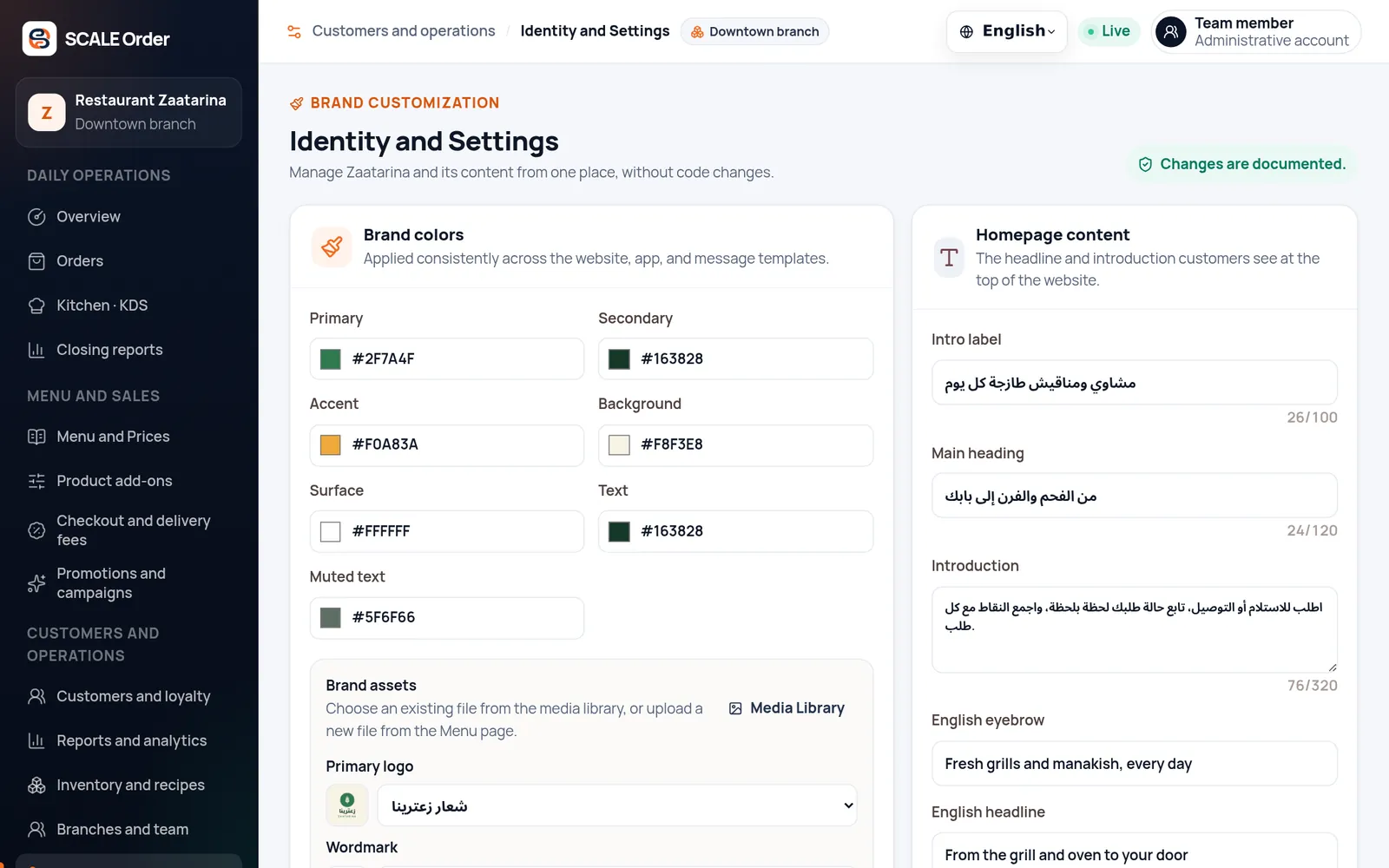
Customers see your name, logo and colors — not ours. Update your branding and content from the console without a developer.
Example palettes. Each restaurant sets its own colors in the console.
#2F7A4F#163828#F0A83A#F8F3E8#FFFFFF
Security & reliability
Built for restaurants that handle real customers and real money.
Each restaurant's data is separated in the database with row-level security.
Hashed passwords, rotating sessions, sign-in rate limits and optional bot protection on sign-in.
Roles decide what each person sees, and the server checks permission and branch on every action.
An append-only audit trail and points ledger that cannot be edited after the fact.
Strict security headers, rate limits and encrypted connections everywhere.
Automatic database backups about every six hours, each with a checksum, plus restore drills.
Getting started
The SCALE team sets everything up with you, so you can focus on the food.
We create your restaurant, first branch and owner account, and switch on the features you need.
Categories, sizes, add-ons, prices and photos — loaded with our help or entered in the console.
Your logo, colors, homepage and domain, in Arabic and English.
Open order-taking, train your team, then grow with offers, loyalty and campaigns.
FAQ
Cash at the branch for pickup orders and cash on delivery. The cashier records the payment and the change due in the console. Online card payments are not part of the current release.
No. Customers can order from your website on any phone or computer. Your Android app adds easier access to points, coupons and order notifications.
Yes. Every customer and staff screen is available in Arabic and English, with a proper right-to-left layout.
New orders appear in the console within seconds and the manager app sends a push notification. After approval, the order moves to the kitchen display.
Yes. Roles decide which sections and actions each person can use, staff can be limited to a single branch, and the server checks every action. Customer names on tickets are shown to owners only.
Yes. Each restaurant's data is isolated in the database with row-level security, and administrative actions are recorded in an audit log.
No. It runs in a web browser, so any tablet or screen with a modern browser works. It refreshes every 5 seconds and plays a sound for new tickets once staff turn sound on.
Yes. Each branch has its own order-taking status, closing reports and stock, and staff can be limited to a single branch.
Points from that order are reversed automatically, and the cancellation is kept in the order's history, which cannot be edited.
Only paid orders count toward sales. Reports show net sales against the previous period, paid orders, average order value, estimated margin, best sellers and channels, with CSV export.
The SCALE team sets up your restaurant, branch and domain, helps load your menu and trains your team. You then manage prices, offers and content yourself from the console.
Get started
Tell us about your business, order volume and team. We'll scope your setup and monthly plan in a tailored quote.